Stop wondering what to practice.
Five questions, a four-week guitar theory plan, and it changes as you improve. Start by tapping a note.
- Week 1Connect scale shapes to chords✓ free
- Week 2Outline chords with arpeggios🔒 Pro
- Week 3Target chord tones over changes🔒 Pro
- Week 4Solo that follows the chords🔒 Pro
Type a question. The right tool opens, already set up.
"Show me D Dorian." "12-bar blues in E." "Set me up a beginner practice loop." Ask reads the question, opens the right tool, and configures it — the answer is the app itself, not a wall of text. Every note it shows is computed by the same theory engine, so it can't hallucinate a fret.
- Works without an account — three questions on the house
- Understands modes, positions, drop tunings, 3NPS patterns
- Answers arrive as shareable links you can send to anyone

Stop memorizing shapes. See the theory.
Every shape you've memorized is one link in a longer chain: CAGED connects to scales, scales to intervals, intervals to chords, chords to progressions, progressions to arpeggios. One theory engine draws the whole chain on a physically accurate neck, so change the key and everything moves together.
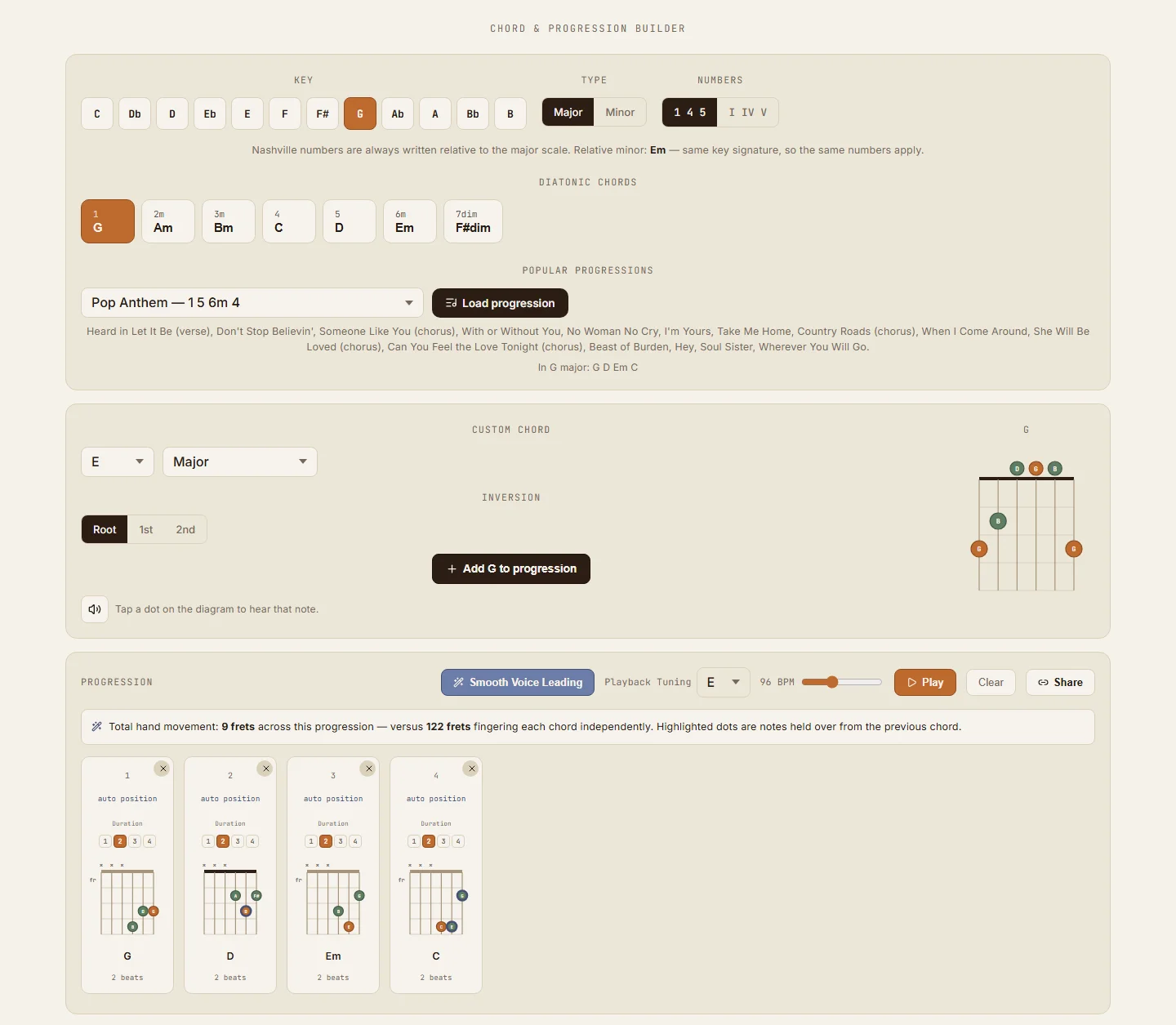
Build progressions that barely move your hand
Pick a key and the diatonic chords are laid out with Nashville numbers and Roman numerals. Load a progression from the library or build your own, then flip on Smooth Voice Leading and the optimizer picks voicings that minimize finger travel.
25 progressions your favorite songs already use
Every entry is named, numbered, and annotated with real songs that use it. Load one in any key and the builder spells it correctly for that key — numbers, numerals, and voicings included.
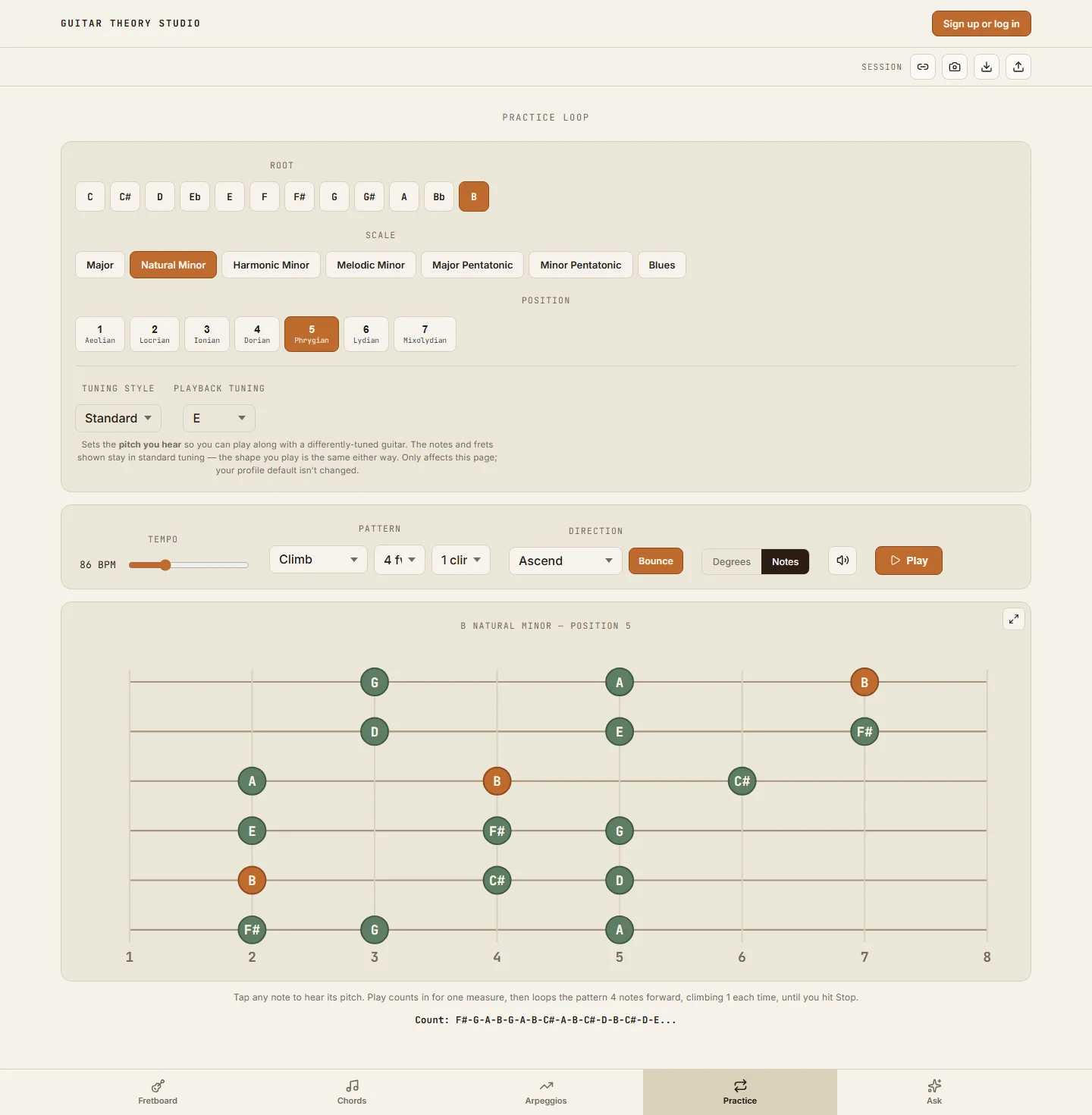
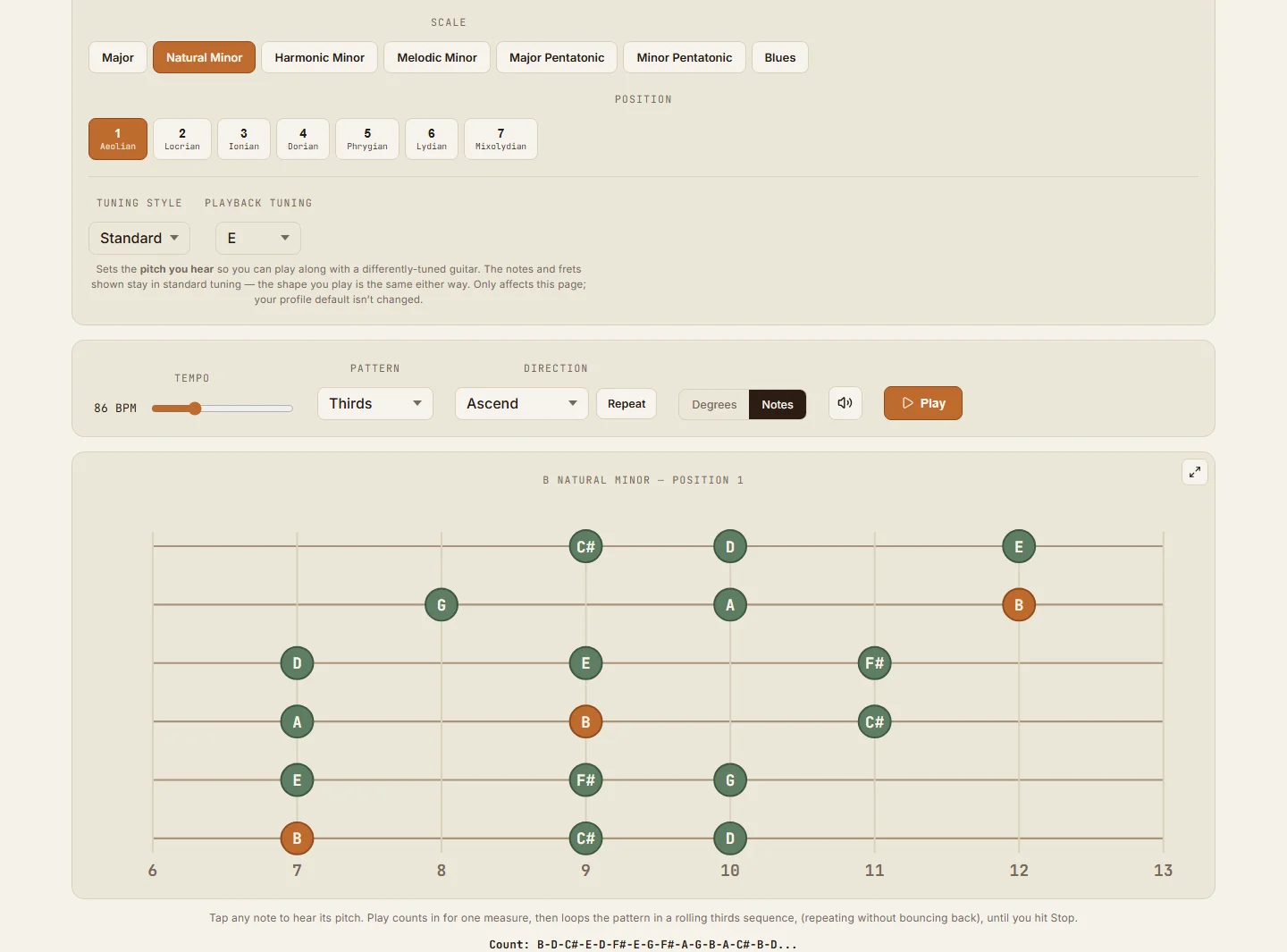
Every scale in seven 3NPS positions — loop any one at any tempo
Pick a key and scale — the 7-note scales lay out three notes per string (3NPS) in seven positions, each named for the mode its shape starts on. Choose a pattern (straight, thirds, fourths, climbs, one-two-three-five runs), set it to ascend or descend, repeat or bounce at the ends, and dial any tempo from 40 to 240 BPM. The count readout spells the exact note order before you play a note.
- Major, minor, and both minor variants laid out three notes per string
- Drop tunings supported — the fingering adjusts correctly
- Speed work the honest way: start slow, raise the BPM gradually
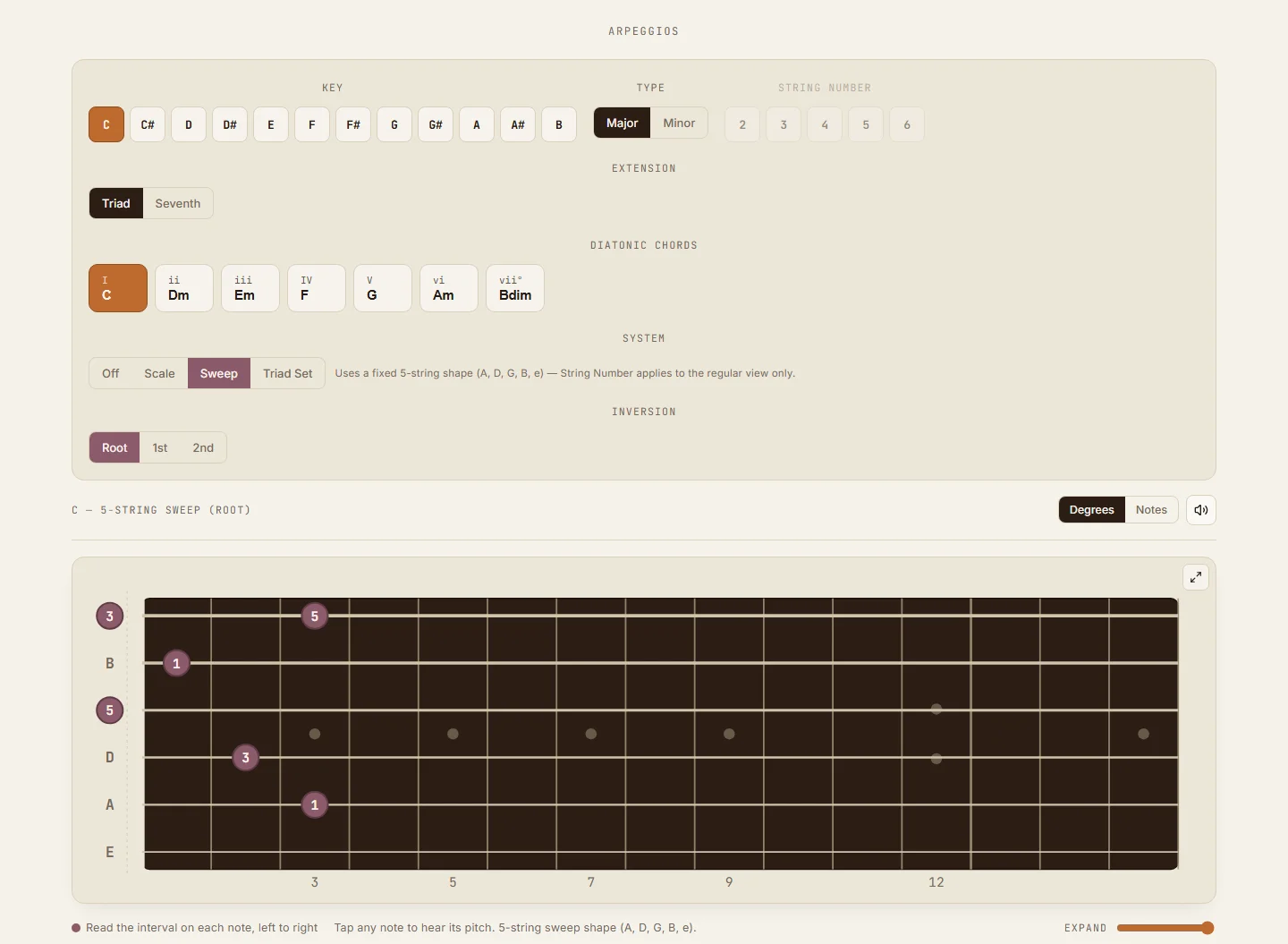
Sweep shapes generated from your progression
Triads and sevenths for every diatonic chord, as scale-tone maps, five-string sweep shapes, or triad sets per string group — with inversions. Because arpeggios come from the same engine as everything else, the shapes match the progression you actually built in the chord tool.
The guitar theory tool I spent years trying to find
I'm Brad — a solo developer and a gigging guitarist. I spent years buying theory books, studying scale diagrams, learning arpeggio shapes, and trying to connect all of it to the actual fretboard. The information existed. What was missing was a way to explore it.
I wanted to choose a key and instantly see the scale, understand the intervals, build the arpeggios, harmonize the scale in different intervals, hear the result, loop it, and practice it. Not another static diagram. Not another collection of shapes to memorize. A tool where I could actually experiment with music theory on the guitar. So I built it.
Everything musical in it is free and stays free; GTS Pro is the trainer that watches what you miss. If something's wrong or missing, tell me at support@guitartheorystudio.com — I read every one.
Every tool is free. GTS Pro builds your path through them.
Free
- All five tools — Fretboard, Chords, Arpeggios, Practice Loop, Ask
- Guided timed practice — walks every position, hands-free
- Your Plan — tell GTS what you know and want to play, get a four-week plan; week one free
- The Daily — ten questions a day, streaks, and your results
- The full 25-progression song library and voice leading
- Test Me 5 sessions a day · Ask 3 questions a day · 3 saved presets per tool
- Shareable links, PNG export, no account needed — no ads, no data selling
GTS Pro
- Everything in Free
- Your Plan, weeks two to four and beyond — each week rebuilt from how the last one went
- Workouts built from what you keep missing
- Mastery levels, revisited just before you'd forget
- Full progress history + practice-time tracking
- Unlimited Test Me · Ask 10 questions a day · unlimited presets
- 7-day free trial, cancel anytime
Browse the theory without opening the app
Every scale, mode, CAGED shape, key, progression, and arpeggio has its own reference page with accurate diagrams — and a one-click link that opens the same thing live in the app.